Fake Apps Imitating a MetaTrader 4 Download Circulate Through Mexican WhatsApp Groups
Links shared in group chats carry an implicit endorsement. When a message arrives from a contact, or from a group dedicated to trading tips, recipients tend to trust the file or address it contains far more than they would a random advertisement. Fraudsters targeting users in Mexico can exploit that trust by circulating installation files and links that imitate a widely used trading platform. Some of these schemes target Android users. A message promising a “versión especial” of the platform, sometimes described as including exclusive signals or a bonus account, links to an APK file hosted outside the official app store. Installing it may require allowing an app to install software from an unknown source. Once installed, the app may look nearly identical to the genuine terminal, complete with charts, price feeds, and familiar menus.
The fake app can have the same charts and menus as MetaTrader 4. Once it’s on the phone, though, it might ask for access to text messages, including the codes banks send to confirm transactions. The trading account can be fake, too. A user might see a balance going up every day, even though no trades are taking place. When they try to withdraw the money, the people running the account may stop responding. Someone searching for a MetaTrader 4 download could easily come across one of these links.
A related tactic uses the legitimate platform itself. Scam operations may imitate broker-branded versions of the software, instructing users to install the genuine app and then search for a specific server name. Because the terminal is authentic, victims assume the broker behind it must also be legitimate. Spanish-language forums may feature warnings explaining that the platform is merely a tool, and that its authenticity does not establish whether the broker is properly licensed or regulated.
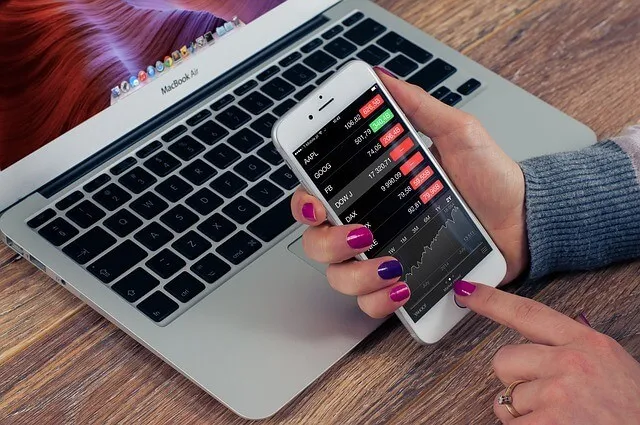
Image Source: Pixabay
Several warning signs can help users identify suspicious links. A download link that hides the website address is worth checking before opening. Check the file name and the developer listed on the app. If it isn’t MetaQuotes, find out why before installing anything. A WhatsApp group might tell you to hurry because its version has features missing from the official app. That claim is worth checking. If someone in the group then gives you a personal bank account or a cryptocurrency wallet for your deposit, don’t send money until you’ve verified who will receive it.
Official channels remain the safest route. Users should seek downloads through MetaQuotes’ official website or verified app-store listings, checking any broker-provided links independently. Checking the publisher name before installing takes seconds, as does checking a broker’s claimed authorization against the appropriate Mexican or foreign regulator’s official register. Mobile security settings that block installations from unknown sources add another layer of protection.
Platform history has occasionally made the situation more confusing. Apple took MetaTrader apps off the App Store in 2022. They were added back in 2023. Anyone who sees an old WhatsApp message claiming the apps are still unavailable should check the App Store rather than follow a download link from the group. Anyone who installed a suspicious file should disconnect the affected device, contact their bank if financial information may be exposed, and change passwords from a trusted device. Suspected fraud can be reported to the appropriate cybercrime authorities and, where relevant, CONDUSEF. Anyone seeking a MetaTrader 4 download through a WhatsApp link should treat the message as a reason to pause and verify, since a few minutes of checking can prevent financial losses that may be difficult to recover.